
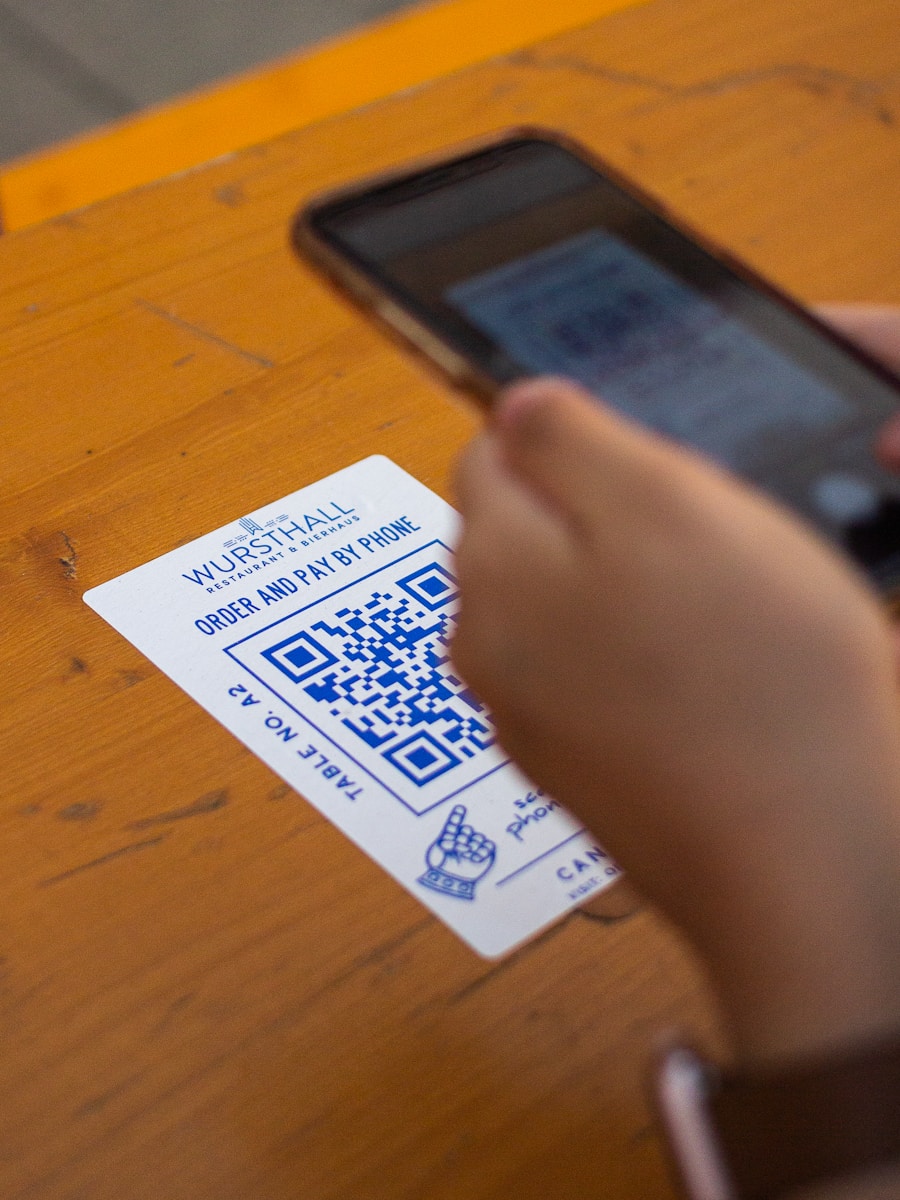
When I started working on a live QR code scanner in React, I wanted to create something that not only displayed a webcam feed but also scanned and decoded QR codes in real time. With React, TypeScript, and a few powerful libraries, it turned out to be an engaging and surprisingly manageable task.
Thank me by sharing on Twitter 🙏
Using react-webcam for the live feed and jsQR for decoding, I was able to build a dynamic QR code scanner with just a few steps. Let me walk you through how it works.
Displaying the Live Webcam Feed
The first task in building the scanner is to set up the live webcam feed. For this, I used the react-webcam library. It provides an easy-to-use React component that integrates seamlessly into any React application.
Here’s how the live webcam feed can be implemented with an overlay to help users position their focus correctly:
import React, { useRef } from 'react';
import Webcam from 'react-webcam';

const LiveWebcamFeed: React.FC = () => {
  const webcamRef = useRef<Webcam>(null);

  return (
    <div style={{ position: 'relative', display: 'inline-block' }}>
      {/* Webcam Feed */}
      <Webcam
        ref={webcamRef}
        audio={false}
        screenshotFormat="image/png"
        style={{
          width: '100%',
          maxWidth: '500px',
          border: '1px solid #ccc',
        }}
      />

      {/* Rectangle Overlay */}
      <div
        style={{
          position: 'absolute',
          top: '20%',
          left: '25%',
          width: '50%',
          height: '30%',
          border: '2px solid red',
          pointerEvents: 'none',
        }}
      ></div>
    </div>
  );
};

export default LiveWebcamFeed;
This component initializes a webcam feed with a red rectangle overlay, which helps guide the user to position the content of interest properly. Using the useRef hook, we can later capture frames from the webcam for further processing.

Nexus: A Brief History of Information Networks from the Stone Age to AI
$14.45 (as of December 4, 2025 18:47 GMT +00:00 - More infoProduct prices and availability are accurate as of the date/time indicated and are subject to change. Any price and availability information displayed on [relevant Amazon Site(s), as applicable] at the time of purchase will apply to the purchase of this product.)
The Nvidia Way: Jensen Huang and the Making of a Tech Giant
$15.04 (as of December 4, 2025 18:47 GMT +00:00 - More infoProduct prices and availability are accurate as of the date/time indicated and are subject to change. Any price and availability information displayed on [relevant Amazon Site(s), as applicable] at the time of purchase will apply to the purchase of this product.)
HP 67XL Black High-Yield Ink Cartridge Printers | Works with Printer Series: DeskJet 1255, 2700, 4100, Envy 6000, 6400 Series | Eligible for Instant Ink | 3YM57AN
$35.89 (as of December 5, 2025 02:01 GMT +00:00 - More infoProduct prices and availability are accurate as of the date/time indicated and are subject to change. Any price and availability information displayed on [relevant Amazon Site(s), as applicable] at the time of purchase will apply to the purchase of this product.)Capturing and Scanning for QR Codes
Once the webcam feed is live, the next step is capturing frames and scanning them for QR codes. The react-webcam library provides a getScreenshot method that captures the current frame, which we can process using the jsQR library.
The jsQR library analyzes image data to detect and decode QR codes. Here’s how I set it up to scan frames every 500 milliseconds:
import React, { useRef, useState, useEffect } from 'react';
import Webcam from 'react-webcam';
import jsQR from 'jsqr';

const QRCodeScanner: React.FC = () => {
  const webcamRef = useRef<Webcam>(null);
  const [scanResult, setScanResult] = useState<string | null>(null);

  const captureAndScan = () => {
    if (!webcamRef.current) return;

    const imageSrc = webcamRef.current.getScreenshot();

    if (imageSrc) {
      const image = new Image();
      image.src = imageSrc;

      image.onload = () => {
        const canvas = document.createElement('canvas');
        canvas.width = image.width;
        canvas.height = image.height;

        const ctx = canvas.getContext('2d');
        if (ctx) {
          ctx.drawImage(image, 0, 0, canvas.width, canvas.height);
          const imageData = ctx.getImageData(0, 0, canvas.width, canvas.height);
          const qrCode = jsQR(imageData.data, imageData.width, imageData.height);

          if (qrCode) {
            setScanResult(qrCode.data); // Display QR code data
          }
        }
      };
    }
  };

  useEffect(() => {
    const interval = setInterval(captureAndScan, 500); // Scan every 500ms
    return () => clearInterval(interval);
  }, []);

  return (
    <div style={{ textAlign: 'center' }}>
      <h1>QR Code Scanner</h1>
      <div style={{ position: 'relative', display: 'inline-block' }}>
        <Webcam
          ref={webcamRef}
          audio={false}
          screenshotFormat="image/png"
          style={{
            width: '100%',
            maxWidth: '500px',
            border: '1px solid #ccc',
          }}
        />
        <div
          style={{
            position: 'absolute',
            top: '20%',
            left: '25%',
            width: '50%',
            height: '30%',
            border: '2px solid red',
            pointerEvents: 'none',
          }}
        ></div>
      </div>
      {scanResult && (
        <div style={{ marginTop: '20px' }}>
          <h3>QR Code Data:</h3>
          <p>{scanResult}</p>
        </div>
      )}
    </div>
  );
};

export default QRCodeScanner;
How It Works
This implementation combines live camera feed display and QR code detection into a single component. Here’s how each part functions:
- Live Webcam Feed: The
react-webcamlibrary provides an easy interface for accessing the device camera and capturing frames. - Frame Capture: The
getScreenshotmethod captures individual frames from the live feed in PNG format. - QR Code Decoding: The
jsQRlibrary processes the captured frame using an HTML canvas. It extracts pixel data and scans for QR codes. - Dynamic Updates: The component uses a
setIntervalfunction to scan for QR codes every 500 milliseconds. If a QR code is detected, its data is displayed on the screen.
Building On This Foundation
This QR code scanner is just the beginning. You could expand it by adding features like:
- Dynamically adjusting the scanning interval.
- Storing scan history for later use.
- Integrating with APIs to process the scanned data.
The flexibility of React and the capabilities of these libraries make it easy to adapt and enhance this functionality for various use cases.
Conclusion
Creating a live QR code scanner in React with TypeScript is both a rewarding and practical project. By combining react-webcam for the live feed and jsQR for decoding, you can build a functional scanner that works in real-time. This implementation not only highlights the power of modern web technologies but also provides a strong foundation for further customization and development.